HttpWatch Basic Edition for Windows 10 - Full description
HttpWatch Basic Edition is a browser-integrated HTTP and HTTPS traffic monitor for web developers, QA engineers and IT staff. It records network activity from Google Chrome and Microsoft Edge and presents the requests and responses associated with a browsing session. This helps investigate what a page exchanges with a server without relying only on the visual result in the browser.
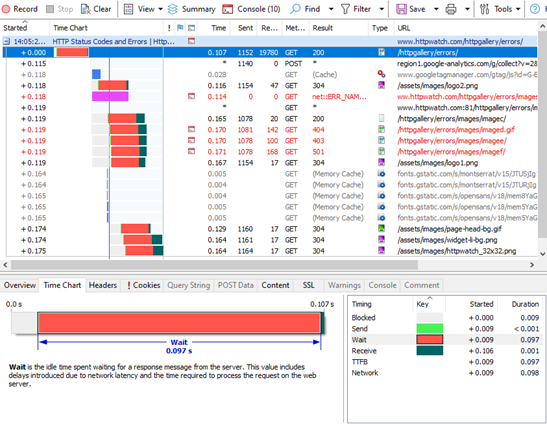
For each captured interaction, HttpWatch displays data such as request and response headers, cookies and query strings. These details can help trace how a page is assembled, check whether expected values are sent, or diagnose a failure tied to a particular request. The capture can also be used to review page-load timing and spot slow requests that may contribute to a bottleneck. Network conditions can be simulated to examine how a site behaves when connections are less favorable.
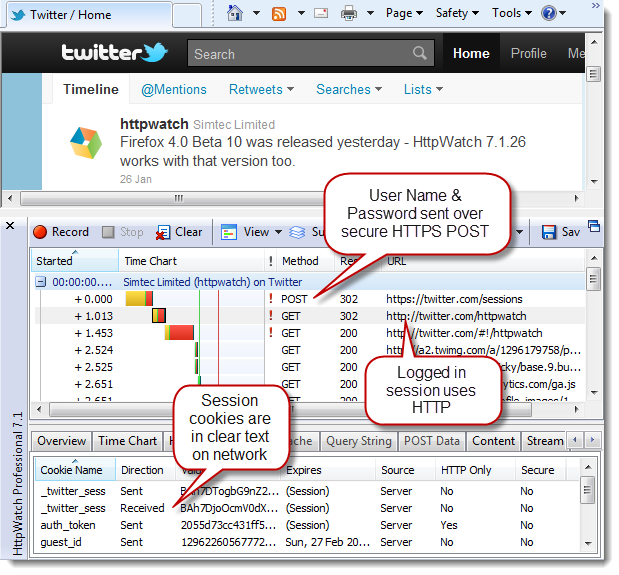
The tool includes security-oriented checks for issues such as mixed content, insecure cookies and older TLS versions. Its session logs can be exported for later review or shared with colleagues, making it easier to discuss a problem using the same recorded evidence. An API supports scripting and automation, which can help teams repeat monitoring tasks or incorporate HTTP checks into an existing workflow.
HttpWatch is useful when troubleshooting web application behavior, comparing requests across test runs, reviewing performance, or checking security-related aspects of browser traffic. Because it works within supported browsers, monitoring can be performed during ordinary page navigation rather than by manually reconstructing each request. Captured sessions provide a record that can be revisited after the browsing test has ended.
The Basic Edition is distributed as demo software. HttpWatch is made by Simtec Limited and is intended for Windows; supported systems include Windows 10 and Windows 11, as well as Windows Server 2016, 2019 and 2022. Browser integration is available for Google Chrome and Microsoft Edge.