HttpWatch Professional Edition for Windows 10 - Full description
HttpWatch Professional Edition is an HTTP and HTTPS traffic viewer integrated with Internet Explorer and Mozilla Firefox. It is intended for web developers, testers and administrators who need to inspect the requests a browser makes to load a site, investigate unexpected behavior, or assess page performance and security. Logging starts from the browser, without configuring a proxy or separate network sniffer, so the captured activity reflects the browser's direct interaction with the site.
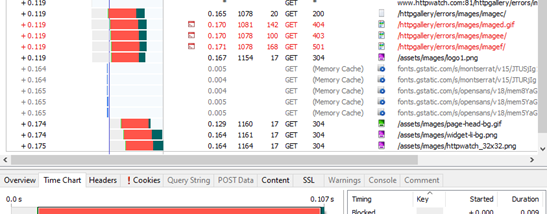
A recording presents web traffic in terms of HTTP transactions rather than only low-level network packets. For each request and response, HttpWatch makes details such as headers, cookies, query strings and POST data available for inspection, avoiding the need to decode raw traffic manually. This can help trace a failed form submission, check whether a redirect leads to the expected page, or identify which requests contribute to a slow page load. HTTPS traffic is displayed in decrypted form, allowing the same inspection of secure sessions.
The tool supports common web behaviors including compression, redirects and NTLM authentication. It can log large numbers of transactions over extended periods, which is useful when a fault occurs intermittently rather than on every visit. Because it installs on the client side and works with pages rendered in the supported browsers, it can be used with different server technologies and does not require changes to server configuration or special server permissions. Its minimal effect on browser-to-site communication also makes the capture useful for observing real-world performance, including on production sites.
HttpWatch can support troubleshooting, performance analysis and checks for sensitive information in browser traffic. Developers can use a recording to understand what a page sends and receives; testers can compare the expected and actual HTTP exchanges; and security reviews can examine headers, cookies and submitted data for potential exposure. An automation interface provides a way to control recordings and access captured data from popular programming languages, making the tool suitable for repeatable checks as well as manual investigation.
HttpWatch Professional Edition is commercial software offered as a demo. It requires Internet Explorer or Mozilla Firefox and is available for Windows 10 and Windows 11. Its browser integration and HTTP-focused presentation are central to its workflow: users capture activity while browsing, then examine individual transactions and their associated data to narrow down a web application issue.