JaSFtp for Windows 10 - Full description
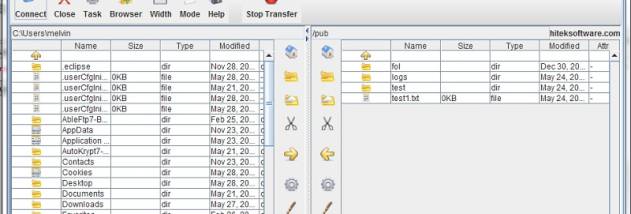
JaSFtp is a file-transfer and task-automation program for people who need to move files between a Windows computer and FTP or SFTP servers. Its interface supports interactive transfers, while its main focus is building tasks that can be started manually or scheduled to run automatically. Tasks can combine transfers with local file operations and monitoring, making it useful for recurring exchanges and unattended workflows.
Transfer tasks can upload or download multiple files using wildcard patterns, and can include subdirectories. JaSFtp can rename saved files using date- and time-based values or customized names, which helps organize recurring downloads and preserve dated copies. SFTP command tasks run commands in sequence, while logging records transfer activity. The program also supports FTP and SFTP connections to servers on an intranet or the internet, and can open multiple remote directory browsers.
Remote and local directory monitors can watch for changes and trigger follow-up actions such as transfers, copying, zipping or deleting files. Monitors can also use conditions such as file size, total file count and modification dates to decide whether to start other tasks. Dynamic variables let tasks pass values to one another, and task chains combine these elements into larger automated processes. A scheduler controls when tasks run, and email notifications can report task results or failures according to their exit codes.
JaSFtp can also schedule web-page downloads, save them under date- or time-based filenames and check pages for updates by downloading modified content. Proxy authorization is available for web downloads, which can help when connections pass through a proxy server. Concurrent task threads allow several jobs to run at once, and remote SFTP directories can be cached during automated tasks to support repeated operations.
JaSFtp is trialware and is offered for Windows 10 and Windows 11. Its broader protocol options include SSH1 and SSH2, with password and public-key authentication support; a secure SFTP module is available as an add-on. Users who need routine transfers can start with a simple scheduled job, then add monitors, conditions, variables and task chains as their workflow grows.