
Liberkey

Liberkey 5.8.1129

Portable app launcher and library manager

LiberKey organizes portable applications in a central launcher, making a collection on a USB drive easier to browse and use. Its online catalog lets users choose programs and add them to the library through the platform. It can be installed with applications included or set up with an empty library for a custom collection. The freeware supports a right-click menu for quick access.

Liberkey 5.8.1129 details

Author:
License: Freeware
Price: FREE
Released:
File size: 4.50 MB
Downloads: 417
Keywords: launcher, Efficient app management, security, internet, LiberKey, download, manage usb apps, system, User-friendly interface, Customizable software suite, Liberkey software review, Video, education, graphics, USB, usb application organizer, portable app launcher, Games, Open Source, portable software library, portable, Windows 10 compatibility, drive, Portable applications, Freeware, portable program menu, liberkey catalog
Author URL: http://www.liberkey.com
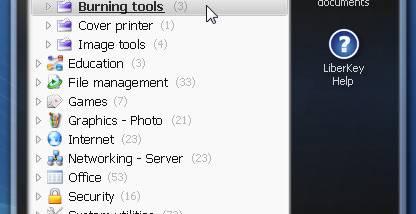
Liberkey screenshot
LiberkeyOtherWindows XP, Windows Vista, Windows Vista x64, Windows 7, Windows 7 x64, Windows 8, Windows 8 x64

User Rating: 3.0 (9 votes)

Windows 10

x32

Windows 10

x64

Liberkey Awards

Windows 10 download editor's pick

Liberkey for Windows 10 - Full description

LiberKey is a portable application launcher and library manager for people who keep software on a USB flash drive or want a collection of tools organized in one place. It provides a central interface for accessing portable programs without having to browse through folders each time. The applications can run from the library, making it easier to carry a familiar set of utilities between computers.

The launcher arranges installed programs in a menu that can be opened from the Windows notification area, including through a right-click menu. Users can select applications from LiberKey's online catalog and have the platform download and add them to the library. This provides a straightforward way to assemble a portable software collection without manually locating and unpacking each program. File associations need to be enabled in LiberKey for the browser to handle catalog download links correctly.

LiberKey can be set up with an empty library or installed with a collection of applications already included. Its catalog covers different kinds of portable software, including tools for internet use, graphics, system tasks, security, education and games. Additional applications can be added after setup, so the collection can grow as needs change. The launcher is intended to keep these programs accessible through a shared menu rather than scattered across a drive.

The platform is useful for carrying frequently used utilities on removable storage, keeping a group of portable applications organized, or accessing a prepared software collection on different Windows PCs. It can also help users who prefer portable programs that do not require separate conventional installations. LiberKey itself is freeware. The supplied compatibility information names Windows XP through Windows 8; compatibility with Windows 10 and Windows 11 is not established here.

Liberkey for Windows 10 - Post your review