WinSleep Monitor by MollieSoft
Welcome to the home of WinSleep Monitor by MollieSoft, your go-to solution for remote PC sleep and wake monitoring. Developed by the innovative team at MollieSoft, this ...

LiveTcpUdpWatch is a portable utility for monitoring TCP and UDP activity on a Windows computer. Its live table shows protocols, local and remote IP addresses and ports, sent and received byte and packet counts, connection times, and the process ID and executable path associated with each entry. Save collected information to text files for later review. It is useful for troubleshooting connections or seeing which applications are using the network.
| Author: | Nir Sofer |
| License: | Freeware |
| Price: | FREE |
| Released: | Oct 5, 2026 |
| File size: | 82 kB |
| Downloads: | 17 |
| Keywords: | LiveTcpUdpWatch free download, monitor, tcp connection monitor, live network connections, tcp udp monitor, TCP, connection monitor, udp traffic monitor, ip port monitor, TCP UDP monitor, download LiveTcpUdpWatch, UDP, connection data logging, IP port monitoring, network process track, UDP monitor, trace, process network activity, TCP monitor, LiveTcpUdpWatch |
| Author URL: | http://www.nirsoft.net/ |
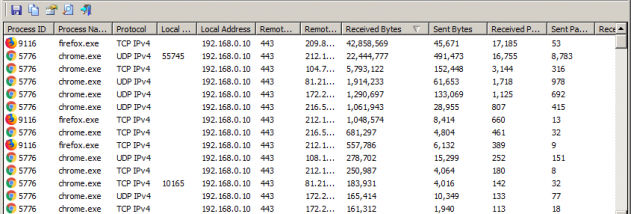
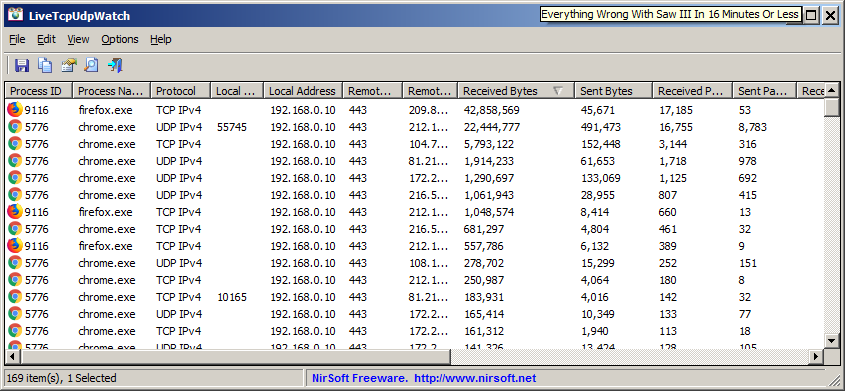


LiveTcpUdpWatch is a portable Windows utility for viewing TCP and UDP activity on a computer in real time. It is useful for network administrators investigating connections and for users who want to see which network endpoints and applications are active. Rather than presenting traffic as an abstract total, it organizes connection details into rows that can be inspected while activity is taking place.
For each entry, the program shows the network protocol and local and remote IP addresses and ports. These fields help identify the endpoints involved in a connection and distinguish traffic using IPv4 or IPv6. It also reports the number of bytes and packets sent and received, giving a quick indication of how much data has moved in each direction. Connection and disconnection times provide a record of when a TCP connection began and ended; UDP activity is shown alongside TCP activity in the same interface.
LiveTcpUdpWatch associates entries with a process ID and executable path. This makes it possible to connect network activity with the Windows process responsible for it, which can help when checking which application opened a connection or comparing activity from multiple programs. The combination of endpoint, traffic, timing and process information is useful for initial troubleshooting and routine observation, though the utility presents connection data rather than acting as a full packet-capture or network-security suite.
Collected information can be saved to text files for later review or further processing. The portable design means the executable can be launched without a conventional installation, including from removable storage. This is convenient for administrators who need a small diagnostic tool on different systems or users who prefer not to add another installed application. The program does not need to create a standard installed application setup to display its connection data.
LiveTcpUdpWatch is freeware from Nir Sofer and runs on Windows, including Windows 10 and Windows 11. Its focused view is suited to checking live network connections, identifying the processes associated with them, and keeping a text record of observed activity. It is a monitoring aid rather than a tool for controlling connections or changing network settings.