Picture Window Pro 64-bit for Windows 10 - Full description
Picture Window Pro is a photo editor for photographers who need detailed control over image processing, retouching and print preparation. Its tools cover work from raw conversion and tonal adjustments to compositing and multi-page album layout, making it suitable for both individual image editing and repeatable production workflows.
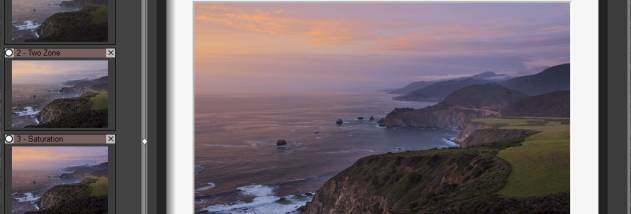
The raw converter includes highlight recovery and noise reduction to help manage difficult lighting and image noise. Color-management features and 16-bit and 48-bit color support provide options for editing images with different levels of tonal and color detail. Advanced sharpening helps refine fine edges, while lens corrections address falloff, distortion and aberrations. Zone transformations let photographers adjust selected ranges of image tonality independently, rather than applying the same change across shadows, midtones and highlights.
Masking and compositing tools support combining image elements and limiting adjustments to chosen areas. HDR image stacking brings multiple exposures together for scenes with a broad range of brightness. Editing operations can be saved in sidecar files and replayed, which helps preserve an edit workflow separately from the original image. Batch processing automates repeated operations across groups of files, reducing manual work on larger collections.
For output, the program supports print proofing profiles so photographers can preview how images may appear under a print profile. Layout tools can arrange pictures into multi-page photo albums, and tile printing can divide an image across multiple printed pages. These features suit photographers preparing images for client delivery, print projects, archival processing or consistent edits across a set of photographs.
Picture Window Pro is trialware from Digital Light & Color. The 64-bit edition is intended for Windows 7, Windows 8 and Windows 10 on 64-bit systems. The developer also provides support through a message board and email responses.