Sync Breeze Pro
Sync Breeze Pro is a file synchronization utility for individuals and organizations that need to keep folders consistent across storage locations. It can synchronize files between local disks, network shares and cloud ...

Synkron Portable is a free, open-source utility for synchronizing folders. It can analyze folders before copying changes, handle multiple folders in one operation, and keep separate tasks organized in tabs. Users can schedule or run periodic synchronizations, exclude files and folders with a blacklist, and restore files overwritten or deleted during synchronization. It is useful for repeatable file maintenance and backup workflows.
| Author: | Portableapps |
| License: | Open Source |
| Price: | FREE |
| Released: | Apr 29, 2015 |
| File size: | 6.00 MB |
| Downloads: | 248 |
| Keywords: | automatic synchronization, multiple synchronization, scheduled folder sync, data synchronization, synchronize, restore overwritten files, Portableapps, cross-platform compatibility, sync, folder backup tool, synchronise application, Synkron Portable, file sync utility, synchronization, folder synchronization, backup restoration, sync folder, sync multiple folders |
| Author URL: | https://portableapps.com/ |
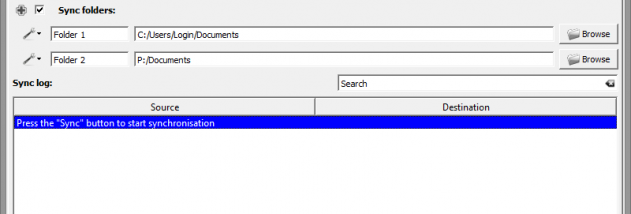

Synkron Portable is a folder-synchronization utility for users who need to keep files in multiple locations aligned or make recurring copies of important data. Its settings let users define how synchronization should run rather than relying on a single fixed operation. The portable edition is suited to carrying the application and its work between computers, while its tabbed interface helps keep separate synchronization tasks organized.
Before copying changes, Synkron can analyze folders so users can review what has changed and decide whether to proceed. It can synchronize several folders in one operation, which is useful when a project is spread across multiple directories or when several locations need attention at once. Separate tabs allow multiple synchronization setups to remain available in the same session, reducing the need to reconfigure tasks whenever the working context changes.
For recurring work, users can set synchronizations to run at selected intervals or create schedules. The multisync feature brings multiple folders into a scheduled synchronization or backup workflow. A blacklist can exclude chosen files or folders from future operations, helping prevent temporary material or other unwanted content from being copied. Synkron can also restore files that were overwritten or deleted during synchronization, providing a way to recover from some unintended changes.
These tools suit personal file maintenance, keeping working folders consistent across storage locations, and creating repeatable backups. Analysis is particularly useful before a run that may modify many files, while scheduled and periodic operations reduce the need to repeat the same manual steps. Because synchronization can affect files in more than one location, reviewing the analysis and configuring exclusions before a large operation can help avoid unwanted copies or changes.
Synkron is free and open-source software. This release is intended for Windows systems, with the provided operating-system information covering Windows XP through Windows 10, including 64-bit editions where applicable. The portable edition is a practical option for users who prefer to carry a folder-sync tool between machines. Its core workflow centers on configured synchronization tasks, with analysis, scheduling, exclusions, and recovery controls available for managing those tasks.