
X-Browser

X-Browser 1.4

Tabbed browsing with shortcuts and plugins

X-Browser is a freeware web browser written in C# with tabbed browsing, keyboard shortcuts, popup blocking, Quick Search, bookmarks and browsing history. Its smart address bar supports routine navigation, while unread-tab indicators help track pages needing attention. Plugins add tools such as an iTunes remote, text editor and GTalk integration.

X-Browser 1.4 details

Author:
License: Freeware
Price: FREE
Released:
File size: 2.80 MB
Downloads: 712
Keywords: intuitive interface, popup blocking browser, web browser, x-browser, x64 compatibility, xbrowser, keyboard shortcut browser, Internet browser, x browser download, browse, browser, x browser, high-speed performance, tabbed web browser, Google X-Browser, secure web navigation, browser with plugins, advanced browsing features, tabbed browser
Author URL: https://www.google.com/
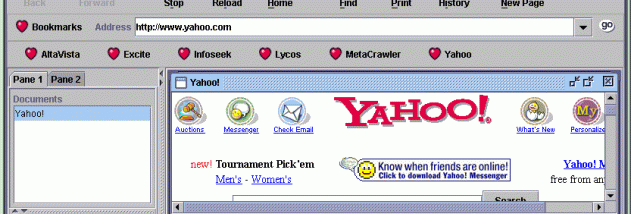
X-Browser screenshot
X-BrowserBrowsersWindows 2000, Windows 2003, Windows XP, Windows Vista, Windows Vista x64, Windows 7, Windows 7 x64, Windows 8, Windows 8 x64, Windows 10, Windows 10 x64

User Rating: 0 (0 votes)

Windows 10

x32

Windows 10

x64

X-Browser Awards

Windows 10 download editor's pick

X-Browser for Windows 10 - Full description

X-Browser is a freeware web browser written in C# that experiments with alternative browsing ideas. Its feature set is aimed at people who want a compact browser with tabbed pages, keyboard-driven controls and a few built-in tools. It combines familiar browsing functions such as bookmarks and history with options for searching and managing open tabs.

Tabs keep multiple pages open in one browser window. Keyboard shortcuts cover many browser actions, allowing frequent tasks to be handled without reaching for menus. A popup blocker can suppress unwanted popup windows, while the smart address bar supports entering web addresses and finding pages as part of everyday browsing. Quick Search provides a direct way to search from the browser.

Bookmarks and browsing history help users return to saved sites or revisit recently viewed pages. X-Browser can also indicate which tabs have unread content, making it easier to spot pages that may need attention when several are open. Its plugin support extends the browser with add-ons, including an iTunes remote, a text editor and GTalk integration.

These features suit basic web browsing, research across several pages and workflows that benefit from keyboard controls or small integrated utilities. The plugin approach may also appeal to users interested in trying browser functions beyond the standard set, though the available examples are specific integrations rather than a broad catalog of tools.

X-Browser is free to use and is built with C#. The published compatibility information includes Windows 10, along with several earlier Windows versions. It is an experimental browser project, so it is best considered for users curious about its approach and feature set rather than as a replacement assumed to offer the ongoing support, security updates or broad web compatibility of a current mainstream browser.

X-Browser for Windows 10 - Post your review