Remote Process Viewer
... the "Remote Process Viewer" by file.net. This innovative Windows 10 software offers a comprehensive view of all active processes running on a remote computer. It's ...

Xmanager Enterprise combines remote Unix and Linux access tools for Windows in one suite. Xshell provides an SSH-secured terminal, Xmanager 3D displays remote X Window applications, Xftp transfers files, and Xlpd supports local printing of remote documents. Host discovery, reusable profiles, shortcuts and command-line launching help organize connections across mixed networks.
| Author: | NetSarang, Inc. |
| License: | Trialware |
| Price: | $289.00 |
| Released: | May 3, 2024 |
| File size: | 107.00 MB |
| Downloads: | 585 |
| Keywords: | linux ssh terminal, remote server management, secure terminal emulator, Windows 10 software, Xftp, remote printing, xmanager enterprise, Xshell, x64 application, secure file transfer, Xmanager Enterprise, x window server, NetSarang, share application, Xmanager, remote manager, networking suite, Inc., unix remote access |
| Author URL: | https://www.netsarang.com/ |



Xmanager Enterprise is a Windows connectivity suite for administrators, developers and other users who need to work with Unix and Linux systems from a Windows workstation. It combines remote terminal access, graphical X Window applications, file transfer and remote printing in one package, helping connect services and resources across mixed computing environments.
Xshell provides a secure terminal for managing remote Unix and Linux servers. Users can create a connection through the New Session Wizard or enter a host in the address bar, then use SSH to protect communication. SSH key generation tools help set up key-based access, while server-specific profiles keep connection and application settings organized. Access Control can restrict unauthorized use of Xmanager, and multiple Xmanager instances can run with different X server settings.
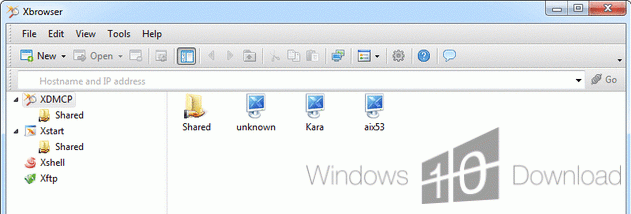
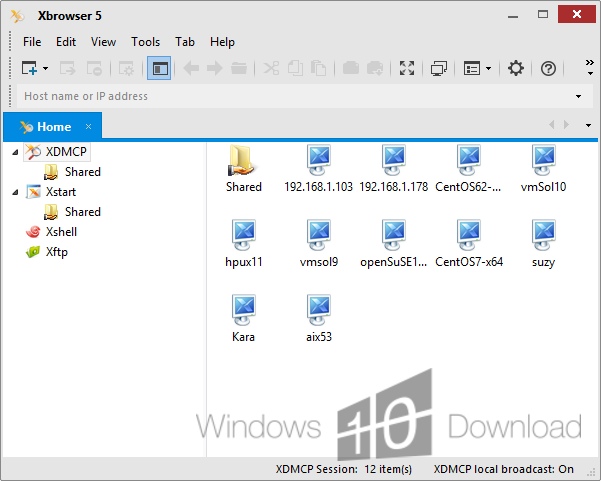
Xmanager 3D displays remote X Window applications, including applications that use OpenGL, on the local Windows desktop. Xbrowser searches dynamically for available Unix and Linux hosts, making it easier to locate systems on a network. Sessions can also be started with desktop shortcuts, shared by email, or launched through command-line options. Xconfig profiles can be edited and applied across multiple Xmanager sessions to reuse display settings.
Xftp transfers files between Windows and remote systems, while Xlpd routes printing jobs so documents on other systems can be printed locally. Together, these tools support workflows such as administering servers, running graphical Unix or Linux software, moving project files and printing remote documents without switching between separate connectivity packages. The included applications share an SSH security module and interoperate within the suite.
Xmanager Enterprise is trialware for Windows, including Windows 10 and Windows 11. Its integrated tools are intended for organizations and individuals working with heterogeneous networks, where terminal access, graphical applications, file movement and printing are part of a regular workflow. Session profiles, shortcuts and command-line launching offer different ways to connect, whether users need occasional access to a remote host or repeatable setups for several servers and applications.