DNS Benchmark for Windows 10 - Full description
DNS Benchmark is a free Windows utility for comparing the speed and reliability of DNS nameservers, also called resolvers. It helps home users and network administrators assess the DNS servers currently assigned to a system against public alternatives, or test a custom selection. The results can show whether a resolver responds promptly to different kinds of requests and whether it fails to answer queries, providing a practical basis for choosing or troubleshooting DNS settings.
The benchmark can test up to 200 nameservers at once using a set of popular domain names. It measures cached lookups, where a resolver already has the requested name stored, and uncached lookups, which require a fresh lookup. It also measures dotcom lookups, which involve consulting the resolver's chosen dotcom servers, and tracks unanswered queries as a reliability measure. These separate timings help distinguish a resolver that is quick with familiar names from one that performs well when it must obtain new information. Results are analyzed for statistical significance using a 95% confidence threshold.
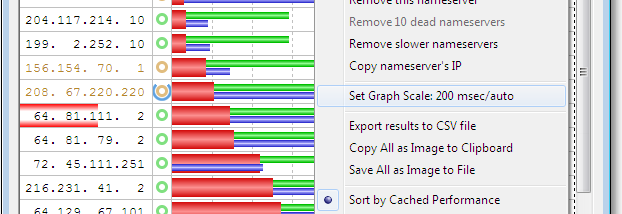
Performance is presented in an automatically scaled bar chart, with controls to adjust the scale for comparisons between charts. Results can be sorted hierarchically by cached, uncached, and dotcom performance, and a value inspector reveals precise measurements for a selected nameserver. A detailed table provides a non-graphical view, while CSV export supports further analysis in spreadsheet software. Automatic CSV logging can collect results in the background over time, making it possible to observe performance changes rather than relying on a single test. The benchmark can also check DNSSEC record authentication and measure authentication performance against signed domains.
Beyond speed measurements, DNS Benchmark identifies nameserver network names through reverse DNS, along with ownership and operational status. It checks whether servers intercept and redirect invalid domain names, a behavior that can affect how errors are handled. Its conclusions summarize the measurements in plain English and suggest system changes when the findings support them. Together, these checks make the utility useful for comparing public DNS services, investigating slow or unreliable name resolution, and reviewing the behavior of servers already in use.
DNS Benchmark is freeware and runs on Windows, including Windows 10 and Windows 11. The utility is a compact desktop application focused on testing and reporting; its CSV output is suited to users who want to retain results or examine them with other tools. Benchmark figures describe the tested nameservers and conditions, so they can help inform DNS choices but do not replace checking the needs and policies of a particular network.