PaintStar for Windows 10 - Full description
PaintStar is a raster image editor for people who need painting, photo-retouching and image-composition tools in one desktop application. It combines freehand drawing with selection, transformation and color-adjustment features, making it suitable for editing photographs, creating painted artwork and preparing images for other uses.
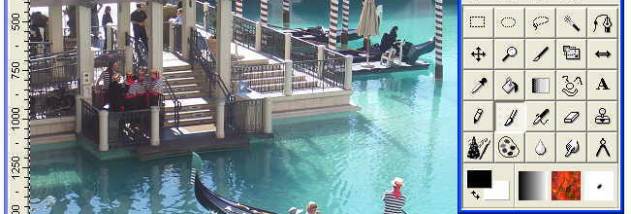
Its painting tools include brushes, an airbrush, pencil and eraser, along with cloning and smudging for retouching areas of an image. Brush appearance can be customized, and texture and gradient options provide additional ways to apply color. Sharpening, blur and color-retouching tools support common corrections, while more than 100 filters and effects offer further adjustments. The application also supports 3x3 image filters and multiple layers, with 26 modes for combining layer contents.
Selections can be made with rectangular, elliptical, freehand, fuzzy or path-based tools. Users can add to, subtract from or invert selections, and apply antialiasing or feathering to soften their edges. Transformation tools rotate, scale, shear, flip, change perspective or wrap image content, with automatic antialiasing available. Gradients can be linear, radial, square, symmetric or asymmetric conical, or shapeburst, and can use multiple colors. Multiple paths can be edited by adding, deleting or inserting curve points and adjusting their positions.
For image handling, PaintStar opens and saves more than 30 formats, including JPEG, GIF, PNG, TIFF, TGA, PCX and BMP. It supports transparency through alpha channels and provides color conversion with dithering and palette options. Histograms can display RGB, HSV, HSL and CMYK data, while EXIF information can be viewed for supported photos. TWAIN support allows images to be brought in from scanners and digital cameras. Multiple undo and redo steps help users review changes, and zoom levels from 10% to 2000% and an optional grid assist with detailed work.
PaintStar also includes screen capture for selected or fixed desktop regions, active windows and individual interface controls such as menus and dialogs. An on-screen indicator helps identify the capture area, and image thumbnails can be viewed from the Windows Explorer context menu. The program is freeware and supports Windows versions through Windows 10; the supplied compatibility information does not list Windows 11.