Wireshark (x64bit)
Wireshark is an open-source network protocol analyzer for administrators, security professionals, developers, and students who need to inspect traffic moving across a network. It captures packets in real time or opens ...

Portable Wireshark captures and analyzes network packets for troubleshooting, security review and protocol inspection. It supports live capture and saved files, with filters, sorting, grouping and color rules to help find relevant traffic. Users can inspect packet details, export results in several formats and review supported encrypted traffic when the required keys are available. The open-source tool is useful for network administrators and analysts.
| Author: | Gerald Combs |
| License: | Open Source |
| Price: | FREE |
| Released: | Oct 26, 2026 |
| File size: | 103.00 MB |
| Downloads: | 729 |
| Keywords: | open-source software, packet sniffing, packet analysis software, Network Monitor, Portable Wireshark, packet capture tool, wireshark portable, Diagnostic, network traffic monitor, network analysis, Network, Protocol Analyzer, Network Diagnostic, troubleshooting tool, network protocol analyzer, Analyzer, network troubleshooting tool, Gerald Combs |
| Author URL: | https://www.wireshark.org/ |
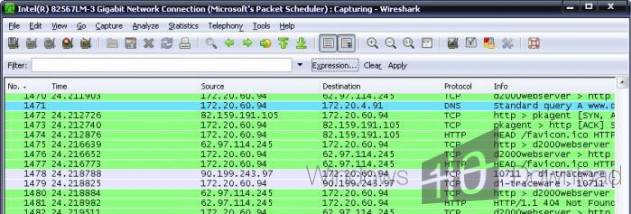

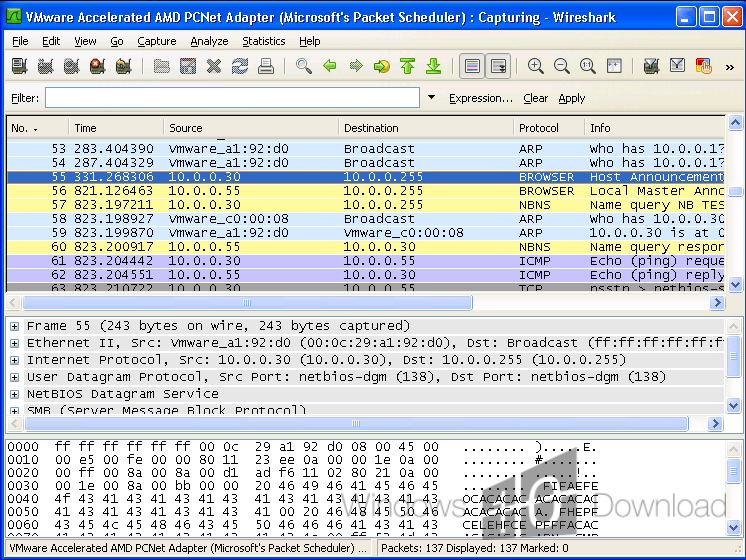





Portable Wireshark is a packet capture and network protocol analysis tool for administrators, security professionals and others who need to investigate traffic moving across a network. It can capture packets live or examine saved captures, making it useful for troubleshooting connectivity and performance problems as well as reviewing activity that may warrant further investigation. Its portable packaging lets it run from a chosen location without a conventional installation workflow.
During a live capture, Wireshark records network packets and presents their details for inspection. Users can narrow large captures with filters, sort and group packet lists, and apply color rules to make selected kinds of traffic easier to spot. Selecting a packet reveals its protocol fields and related information, helping analysts follow exchanges between network devices, identify applications and trace where a connection or service may be failing. Captures can be paused or saved for closer review.
The program also supports analysis after a capture has ended. Saved packet data can be reopened and filtered independently of the live network, which helps with comparing incidents or sharing evidence with colleagues. Capture results can be exported in formats such as XML, CSV, text and PostScript for reporting or use with other tools. Wireshark can read and write multiple capture formats, and its decryption capabilities can help inspect supported encrypted protocols when the necessary keys and configuration are available. A macro system can assist with repeatable analysis tasks.
Typical uses include diagnosing slow or interrupted network connections, checking whether devices are communicating as expected, examining protocol behavior and investigating potentially suspicious traffic. Wireshark observes and analyzes packets; it is not a packet injection tool and does not send or alter network traffic. Packet captures can contain sensitive information, so access to capture files and their distribution should be handled carefully.
The software is open source and available at no charge. Portable Wireshark is intended for Windows, including Windows 10 and Windows 11, as well as supported Windows Server editions. Live capture requires a compatible packet-capture driver on the system; the exact driver requirement depends on the package and environment. The included user guide can help newcomers learn the interface and filtering workflow, while experienced users can move directly to capture and protocol inspection.