cFos for Windows (x64 bit)
Welcome to the download page for "cFos for Windows (x64 bit)", a high-performance software developed by the renowned Cfos Software. This software is a potent tool ...

Wireshark is an open-source network protocol analyzer for capturing and inspecting traffic in real time or from saved files. It decodes hundreds of protocols and presents packets in a graphical interface with display filters and color rules to help isolate relevant activity. Administrators, security professionals, developers, and students use it to troubleshoot networks, investigate communications, and study protocols. It can open many capture formats and supports decryption when the necessary keys are available.
| Author: | Gerald Combs |
| License: | Open Source |
| Price: | FREE |
| Released: | Feb 26, 2026 |
| File size: | 92.10 MB |
| Downloads: | 707 |
| Keywords: | x64 network monitor, packet capture, wireshark download, Gerald Combs, Windows x64 bit, diagnostic x64, network protocol analyzer, protocol analysis software, network diagnostic x64, x64 analyzer, network troubleshooting tool, packet capture tool, Wireshark x64bit, x64 protocol analyzer, network traffic monitor, advanced filtering, network x64, data network troubleshooting |
| Author URL: | https://www.wireshark.org/ |


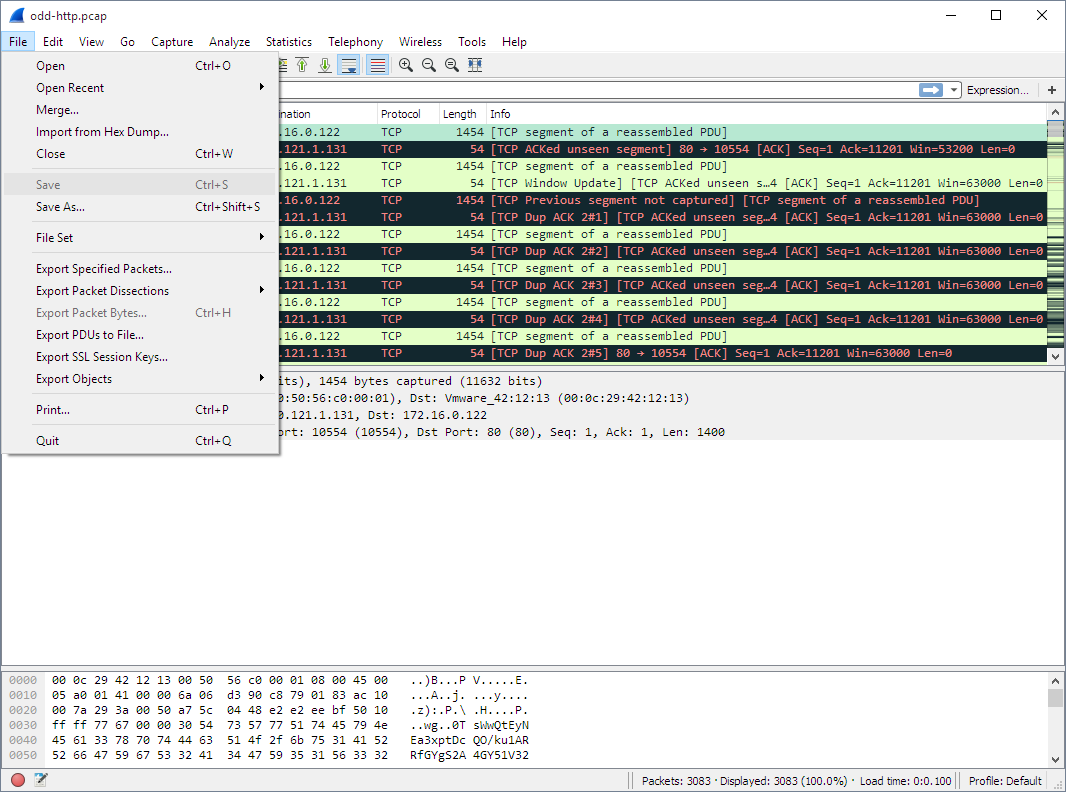



Wireshark is an open-source network protocol analyzer for administrators, security professionals, developers, and students who need to inspect traffic moving across a network. It captures packets in real time or opens saved capture files, then presents their contents for detailed investigation. Its packet-level view helps users examine how devices and applications communicate, diagnose connectivity problems, and study network protocols.
The main window organizes captured traffic into individual packets, with decoded protocol details available for closer inspection. Display filters narrow a large capture to packets that match specific criteria, helping users focus on a host, protocol, or other traffic characteristic. Color rules distinguish packet types at a glance, while selecting a packet reveals its fields and relationships to the surrounding traffic. This makes it easier to follow a conversation and identify unexpected behavior or errors.
Wireshark supports inspection of hundreds of protocols and can work with a broad range of capture file formats, including files created by other network analysis tools. Users can capture traffic for immediate review or save it for offline analysis and sharing. Decryption support for many protocols, including SSL/TLS, can expose encrypted traffic for analysis when the required keys are available. Its plugin architecture also allows additional protocol dissectors and features to extend the analyzer.
Typical tasks include troubleshooting slow or unreliable network connections, checking whether an application is sending or receiving expected data, investigating suspicious traffic, and learning how network protocols operate. Developers can use packet traces to understand protocol behavior and examine communication between software components. Students and instructors can explore real traffic at the packet level as part of networking coursework.
Wireshark is free and open source. This 64-bit edition is intended for compatible Windows systems; the provided platform information includes Windows 10 and Windows 11, as well as several Windows Server releases. Capturing traffic may require suitable permissions and capture support on the system. Because packet captures can contain sensitive information, files should be handled and shared with care.